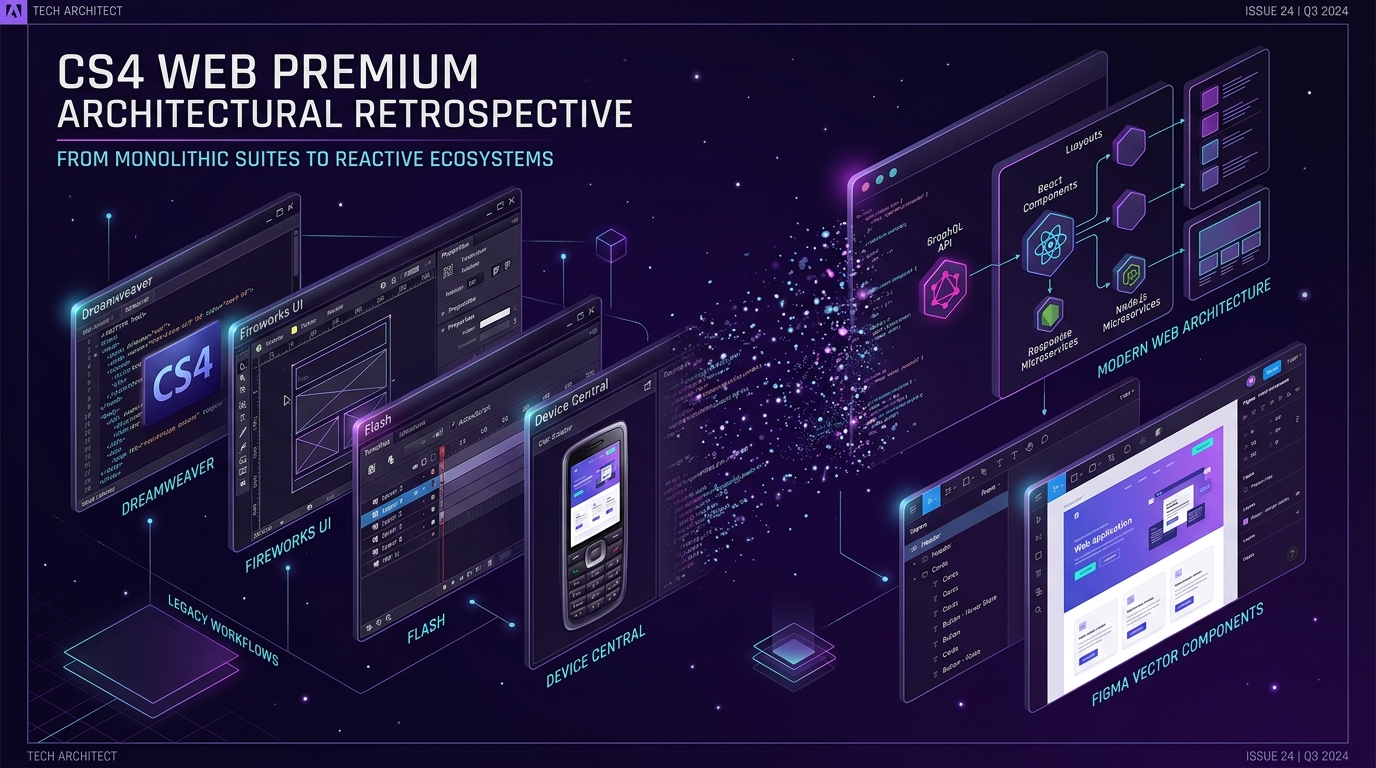
In October 2008, Adobe shipped Creative Suite 4 (CS4) Web Premium, an ambitious, all-in-one desktop ecosystem designed to capture every single phase of web production—from initial vector wireframing and bitmap compositing to audio editing, cross-device emulation, and server-side code authoring. Priced at $1,699 for the full retail edition ($599 for upgrades), it stood as the definitive studio toolkit during the zenith of the Web 2.0 and Rich Internet Application (RIA) era.
Looking back from the perspective of modern, component-driven frontend architecture—where distributed engineering teams rely on cloud-native Figma files, TypeScript, Vite, React Server Components, and edge deployments—CS4 Web Premium offers a fascinating case study. Many paradigms that contemporary engineers take for granted (live browser DOM inspection, reusable UI symbols with nested states, mobile viewport simulation, and modular asset pipelines) were first unified inside this 2008 release.
The Anatomy of the Monolithic Web Suite
Unlike today's decentralized web tooling landscape, CS4 Web Premium sought to solve workflow friction through tight inter-application integration. The suite bundled ten standalone applications, each engineered to address a specialized link in the digital production chain:
- Adobe Dreamweaver CS4: The central code and WYSIWYG authoring workstation, updated with an embedded WebKit rendering engine for live browser preview, Code Navigator, and Subversion (SVN) source control.
- Adobe Fireworks CS4: The dedicated rapid prototyping and screen-graphics powerhouse, bridging vector illustration, raster image slicing, and interactive CSS layout generation.
- Adobe Flash CS4 Professional: The undisputed engine of interactive web experiences and media playback, introducing object-based motion tweening, 3D transformations, and the inverse kinematics Bones tool on top of ActionScript 3.0.
- Adobe Photoshop CS4 Extended: Advanced raster image manipulation featuring groundbreaking OpenGL-accelerated canvas rotation, native 64-bit performance on Windows, and direct 3D object texture painting.
- Adobe Device Central CS4: An innovative testing environment that emulated hundreds of consumer mobile devices, cellular screens, and hardware constraints prior to the responsive design revolution.
- Adobe Contribute CS4: An in-browser and desktop content contribution client enabling non-technical business stakeholders to update web copy within strict developer-enforced template guardrails.
- Adobe Soundbooth CS4: A streamlined audio workstation tailored specifically for web designers, offering automated noise reduction, pitch correction, and royalty-free dynamic score generation for Flash media.
- Adobe Acrobat 9 Pro: PDF authoring capable of embedding interactive Flash FLV/SWF video files, dynamic forms, and collaborative document review portfolios.
- Adobe Version Cue CS4: A shared workgroup version control server enabling visual file tracking, check-outs, and conflict resolution across Adobe Creative Suite files.
- Adobe Bridge CS4: The central media asset manager providing batch metadata tagging, camera raw processing, and cross-suite asset search.
💡 Studio Archival Context: The $1,699 Monolith
In 2008, full-stack web development meant purchasing physical DVD box sets. The transition between vector UI, code authoring, and device testing was negotiated via proprietary inter-process links (Adobe Dynamic Link and XMP metadata) across local operating system files rather than remote webhooks and Git commit hooks.
Breakthrough Innovations That Anticipated Modern Web Engineering
While contemporary developers often dismiss late-2000s web software as relics of the table-layout and Flash era, CS4 introduced several foundational engineering concepts that directly shaped today's tooling.
1. Dreamweaver CS4: WebKit Live View and Runtime Inspection
Prior to CS4, Dreamweaver's "Design View" relied on a crude, proprietary layout engine that notoriously failed to match actual browser rendering in Internet Explorer 7 or Firefox 3. In CS4, Adobe replaced this with the open-source Apple WebKit engine. For the first time, developers could click "Live View" and execute JavaScript, parse CSS cascading hierarchies, and manipulate interactive states inside their desktop editor without switching windows.
Additionally, Dreamweaver CS4 introduced the Code Navigator. By pressing Alt+Click (or Option+Click on macOS) on any rendered DOM node, a floating inspector popped up listing every linked CSS rule, class selector, and external stylesheet influencing that specific element. This directly foreshadowed the "Inspect Element" style tabs in modern Chromium and Safari Developer Tools.
2. Fireworks CS4: The Spiritual Forerunner of Figma
Web historians and product designers widely recognize Adobe Fireworks (originally created by Macromedia) as the true ancestor of contemporary vector UI tools. While Photoshop treated every element as a pixel raster layer and Illustrator focused on print CMYK vectors, Fireworks was built strictly for screens and web layouts:
- Multi-Page Architecture: Designers could structure entire multi-step conversion flows and site hierarchies inside a single
.pngproject file using shared master pages. - Symbols and State Variations: UI elements like buttons, navbars, and modal dialogues could be authored as reusable symbols with discrete Up, Over, Down, and Disabled states.
- 9-Slice Bitmap Scaling: Allowed UI elements with rounded corners and complex borders to stretch responsively without distortion—a technique that anticipated modern CSS
border-imageand flexbox padding. - CSS and HTML Export: Fireworks CS4 could inspect vector rectangles and export standards-compliant CSS hex codes, border-radii, and gradient specifications.
3. Device Central CS4: Simulating the Pre-Responsive Mobile Web
In 2008, the modern responsive viewport meta tag (<meta name="viewport" content="width=device-width">) had not yet gained universal adoption. Mobile web optimization required accounting for dozens of incompatible hardware profiles—Nokia Symbian S60 handsets, BlackBerry Pearls, Sony Ericsson phones, Motorola RAZRs, and the original Apple iPhone (Safari 2.0).
Device Central CS4 provided an extensive local library of device profiles. It simulated accurate screen resolutions (from 128x128 pixel monochrome up to 320x480 pixel color screens), device-specific color depths, memory limits, and cellular bandwidth throttles (GPRS, EDGE, early 3G). Designers could even test backlight dimming and sun glare on mobile displays—anticipating the light/dark mode and device emulation toggles built into Chrome DevTools today.
The RIA Inflection Point & The Web Standards Transition
CS4 Web Premium shipped at the absolute crest of the Rich Internet Application (RIA) wave. At the time, web standards like HTML 4.01 and CSS 2.1 were fundamentally incapable of delivering smooth 60fps animations, interactive vector gaming, reliable streaming video, or low-latency microphone/webcam access. Flash CS4 Professional bridged that chasm with ActionScript 3.0, a rigorous, ECMAScript-compliant, object-oriented language running on the high-performance Tamarin AVM2 virtual machine.
However, the seeds of the web's future were already germinating:
- The Web Standards Movement: The W3C and WHATWG were standardizing HTML5, introducing native
<video>,<audio>, and<canvas>tags designed to eliminate browser runtime plugins. - The Mobile Revolution: In April 2010, Steve Jobs published his seminal open letter, "Thoughts on Flash", explicitly barring Flash from iOS devices citing battery drain, touch-screen incompatibility, closed proprietary control, and security vulnerabilities.
- CSS3 & Modern JavaScript: The advent of CSS3 transitions, media queries (enabling Ethan Marcotte's 2010 Responsive Web Design paradigm), and Google's V8 JavaScript engine rapidly brought browser performance to parity with compiled RIA runtimes.
Consequently, the Flash authoring paradigm pivoted into modern web runtime equivalents: Flash timelines evolved into CSS keyframes and GreenSock (GSAP); Flash vectors became SVGs; and ActionScript 3.0 event dispatchers paved the way for reactive state management frameworks like React, Vue, and Svelte.
The 2021 Server Deprecation & Digital Preservation
In early 2021, Adobe officially retired the legacy activation infrastructure for Creative Suite 2, 3, and 4. Because CS4 used internet-based activation servers to validate volume and retail serial numbers against hardware machine IDs, the deactivation of these legacy authentication endpoints created a permanent crisis for digital archivists, legacy maintenance developers, and retro-computing historians.
🔒 The Architectural Lesson of DRM-Tethered Desktop Software
The shutdown of the CS4 activation servers highlighted the vulnerability of commercial desktop software dependent on centralized license verification. When vendor servers go dark, legitimate license holders can no longer reinstall software on new hardware without offline patches or historical virtual machine snapshots. This reality accelerated industry acceptance of modern subscription SaaS (Creative Cloud) on one hand, and open-source, vendor-neutral tooling (VS Code, Blender, Inkscape, Git) on the other.
Architectural Evolution: How CS4 Mapped to Modern Tooling
The monolithic desktop suite did not disappear—it decentralized into specialized, best-of-breed developer and designer ecosystems. The following comparative breakdown illustrates how the components of Adobe CS4 Web Premium map directly to the contemporary web engineering stack:
| CS4 Web Premium Tool | Core Architectural Role (2008) | Modern Web Replacement (2026+) | Technological Shift |
|---|---|---|---|
| Dreamweaver CS4 | WYSIWYG + Code + WebKit Live View | VS Code + Vite / Next.js Fast Refresh | From visual HTML editor to modular component compiler with Hot Module Replacement (HMR). |
| Fireworks CS4 | Vector/Bitmap UI Wireframing & Prototyping | Figma + Storybook + Tailwind CSS | From local proprietary PNG mockups to cloud-based collaborative design systems and code tokens. |
| Flash CS4 Professional | Interactive RIA, Motion Graphics & Video | React / Svelte + WebGL / Three.js + WebAssembly | From proprietary browser binary plugins to open standards, GPU-accelerated canvas, and native video. |
| Device Central CS4 | Feature phone & mobile screen profiling | Chrome DevTools Device Mode + Playwright | From static resolution skins to dynamic responsive media queries and synthetic browser viewport automation. |
| Contribute CS4 | Locked-down client website content editing | Headless CMS (Strapi, Sanity, Contentful) | From FTP-based file-locking client apps to decoupled API-first content repositories. |
| Version Cue CS4 | Local network asset version control server | Git + GitHub / GitLab + Git LFS | From proprietary workgroup servers to universal distributed version control and CI/CD automation pipelines. |
Key Takeaways for Contemporary Web Architects
Analyzing historical systems like Adobe CS4 Web Premium provides invaluable perspective on software longevity, developer ergonomics, and technology shifts:
- Open Web Standards Invariably Triumph Over Closed Monopolies: No matter how sophisticated a proprietary runtime like Flash or a proprietary suite like CS4 may be, open standards backed by multi-vendor browser consensus (HTML5, CSS3, ECMAScript, WebGL, WebAssembly) will eventually outpace and replace closed garden ecosystems.
- Component-Driven Design Originated in Screen-First Tools: The foundational ideas governing React component hierarchies, props, and design tokens were anticipated by Macromedia/Adobe Fireworks' master pages, symbols, and 9-slice scaling. Understanding this lineage helps modern UI engineers build cleaner design systems.
- Decoupling Architecture Prevents System Obsolescence: Monolithic suites that bind design, code, server deployment, and version control into a single closed vendor ecosystem carry extreme deprecation risk. Modern microservice and Jamstack architectures ensure that any single layer (hosting, CMS, UI library, CI runner) can be upgraded independently without breaking the entire digital estate.
Frequently Asked Questions
Can Adobe Creative Suite 4 Web Premium still be activated today?
Officially, no. Adobe decommissioned the CS2, CS3, and CS4 activation servers in early 2021. Users attempting a clean installation of genuine retail CS4 discs will fail online serial verification. Legacy installations that were activated prior to the shutdown continue to run offline, and software archivists utilize preserved virtual machine images or vendor-issued non-activation legacy packages.
What was the primary difference between CS4 Web Premium and CS4 Web Standard?
Adobe CS4 Web Standard included the core coding and vector tools (Dreamweaver CS4, Flash CS4 Professional, Fireworks CS4, and Contribute CS4), while Web Premium added Adobe Photoshop CS4 Extended (with 3D and GPU acceleration), Adobe Soundbooth CS4 (for audio mastering), and Adobe Acrobat 9 Pro (for interactive PDF publishing).
Why did Adobe eventually discontinue Fireworks in favor of Photoshop and Illustrator?
Adobe officially halted development of Fireworks with CS6 in May 2013, citing overlapping codebase maintenance with Photoshop and Illustrator. However, neither Photoshop nor Illustrator adequately matched Fireworks' specialized screen-first UX capabilities, creating a massive industry void that paved the way for the meteoric rise of Bohemian Coding's Sketch and ultimately Figma.